Please LOG IN to update your profile and ensure secure and seamless e-invoice delivery.

JomPAY Online Payment User Guide

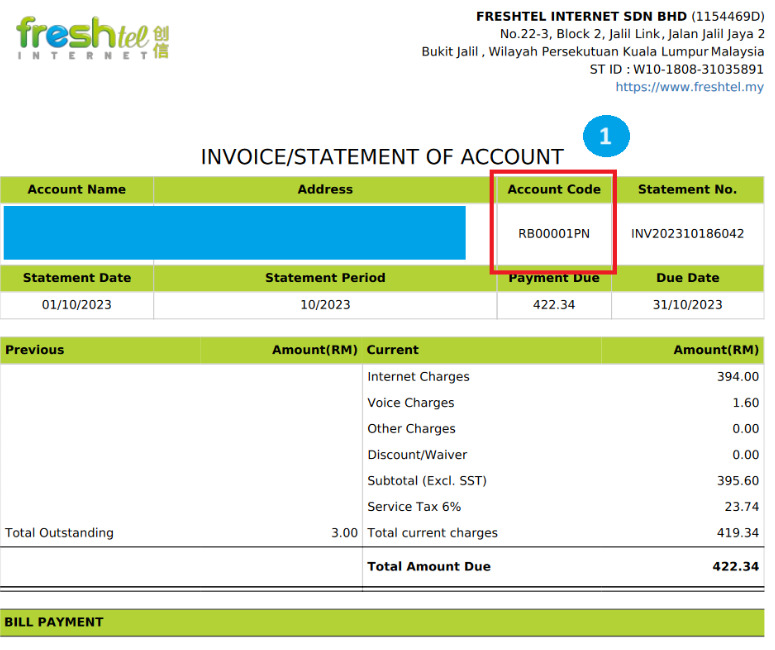
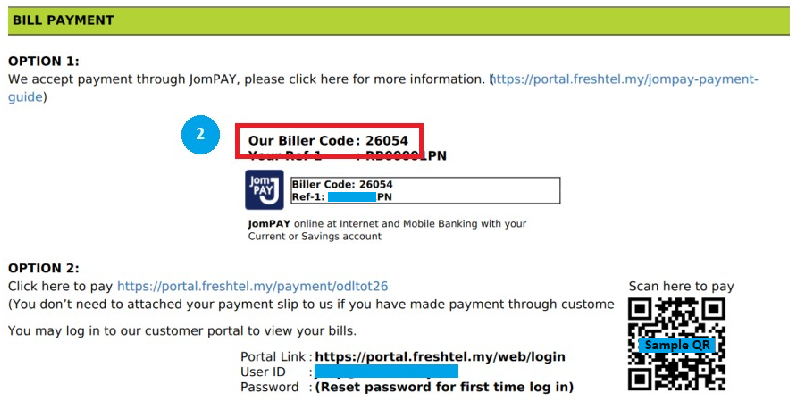
I. Get all these information from your Freshtel invoice:

1. Account code
2. Biller code: 26054

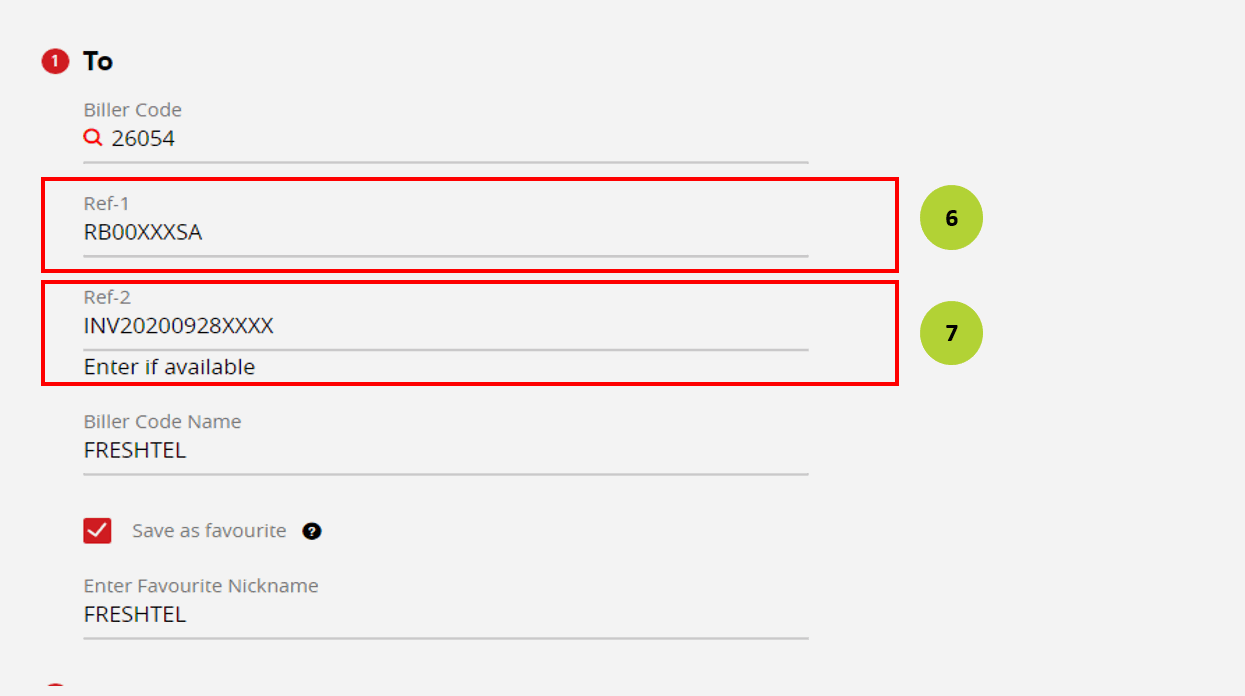
show account code, biller code show invoice number

II. Select a bank for online payment:

Pay with Maybank

1

Login to Maybank.
Step 1: Click "Pay and Transfer"

2

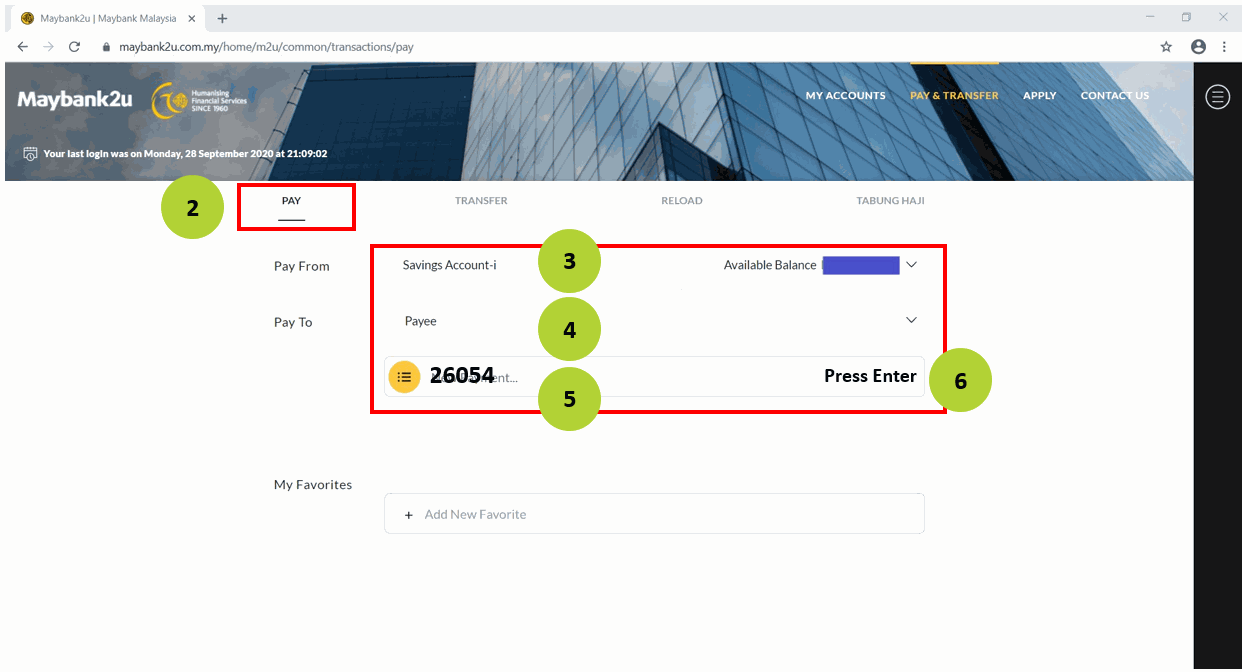
Step 2: Click "Pay"
Step 3: Select an account
Step 4: Pay To: "JomPAY"
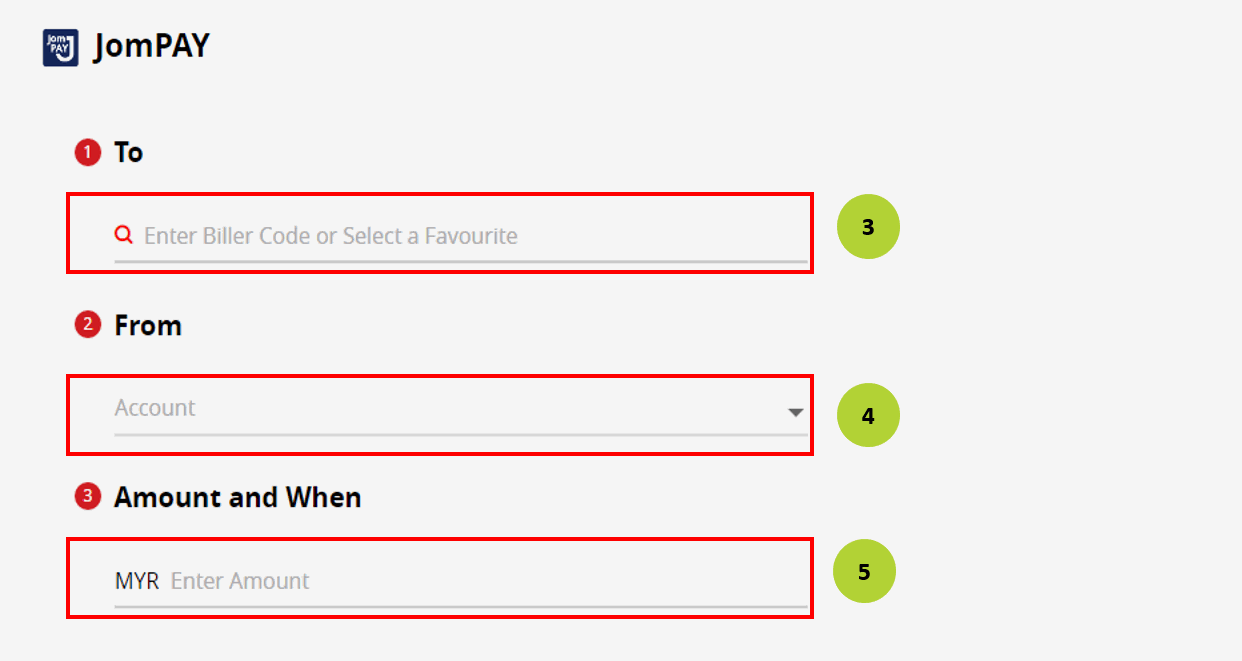
Step 5: Enter your biller code: 26054
Step 6: Press "Enter" to proceed

3

Step 7: Ref-1: Enter your account code
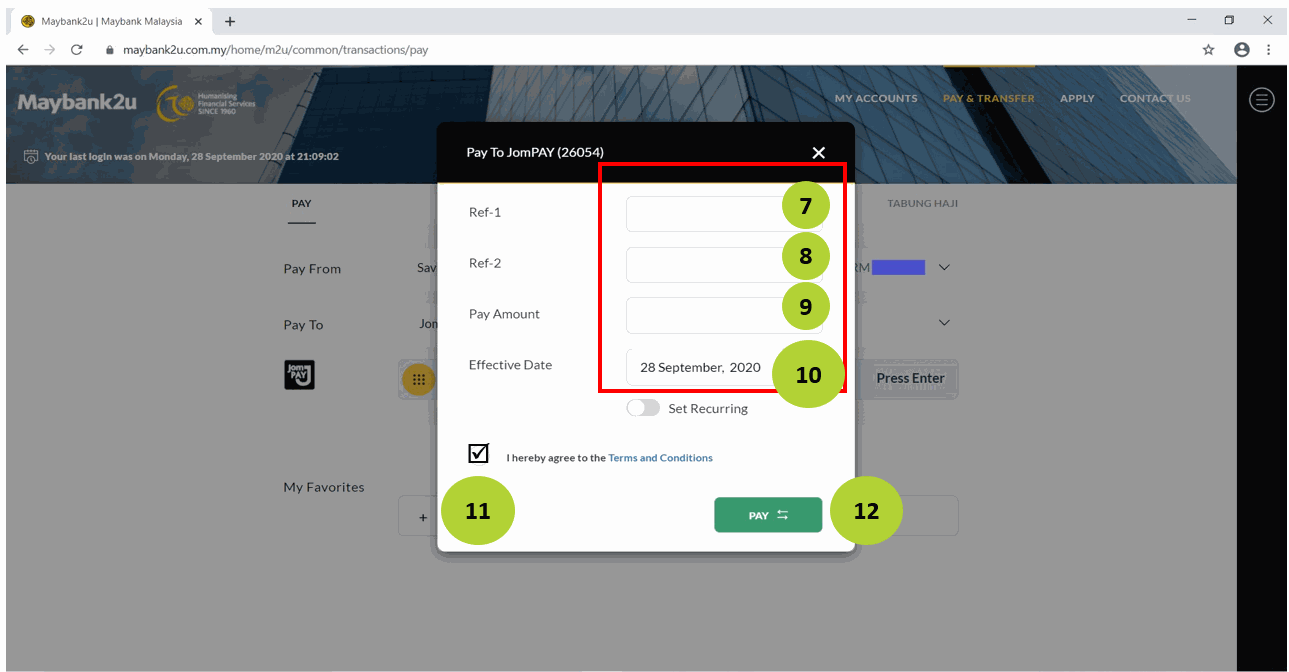
Step 8: Enter bill amount
Step 9: Check on "I hereby agree to Terms and Conditions
Step 10: Click "Pay"
maybank pay image maybank ref image

Pay with CIMB Bank

1

Login to CIMB Clicks.
Step 1: Click "Pay and Transfer"
Step 2: Click "JomPAY"

2

Step 3: Biller code: 26054
Step 4: Ref-1: Enter your account code
Step 5: Enter biller code name

3

Step 6: Select account to pay
Step 7: Enter bill amount
Step 8: Click "Yes"
**For first time user, click "Proceed" if pop out box appeared.
cimb image 1 cimb image 2

Pay with Public Bank

1

Login to Public Bank.
Step 1: Click "Payment"
Step 2: "JomPAY"
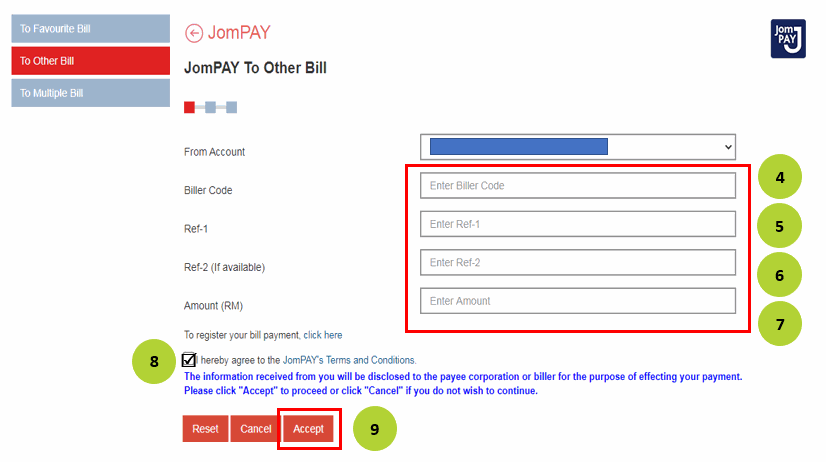
Step 3: "To Other Bill"

2

Step 4: Select an account
Step 5: Biller code: 26054
Step 6: Ref-1: Enter your account code
Step 7: Enter bill amount
Step 8: Click "Next"
public image 1

Pay with Hong Leong Bank

1

Login to Hong Leong Bank.
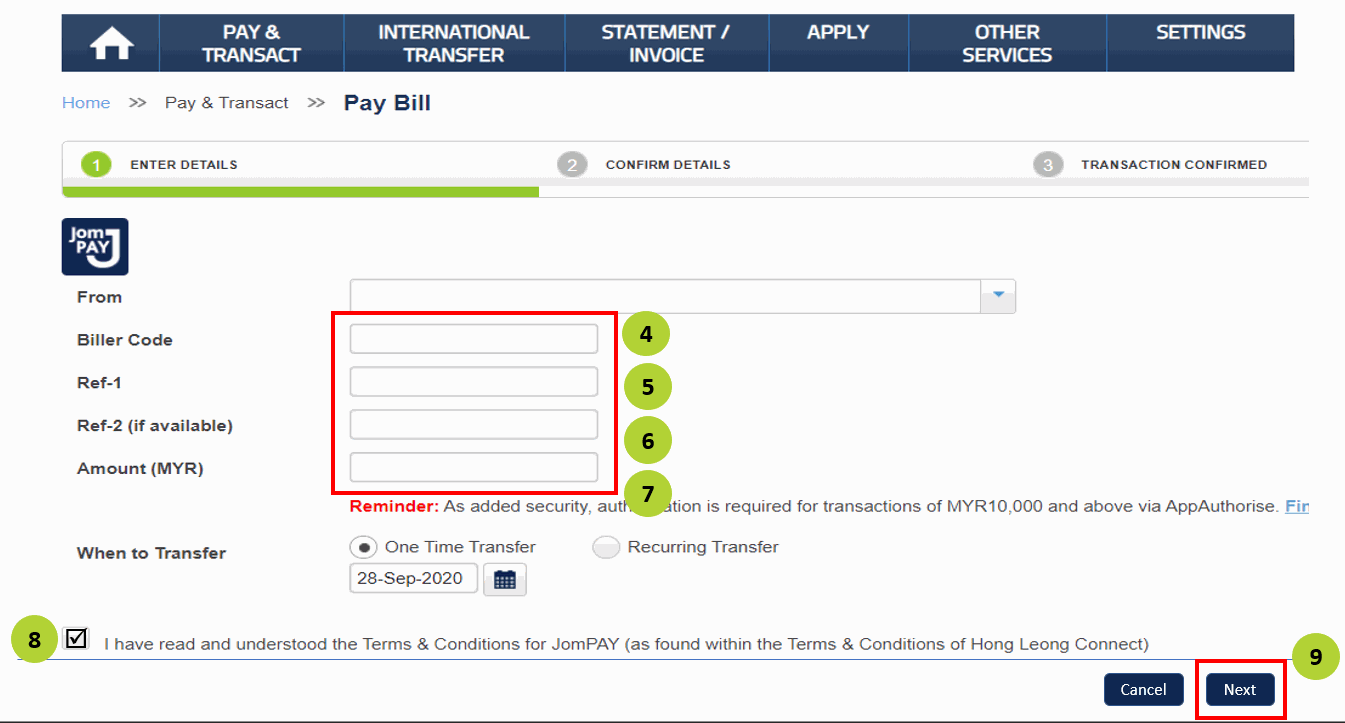
Step 1: Click "Pay and Transact"
Step 2: "Pay Bill"
Step 3: "JomPAY

2

Step 4: Select an account
Step 5: Biller code: 26054
Step 6: Ref-1: Enter your account code
Step 7: Enter bill amount
Step 8: Agree T&C
Step 9: Click "Next"
hong leong image 1

Pay with RHB Bank

1

Login to RHB Bank.
Step 1: Click "Menu"
Step 2: "BillPay"
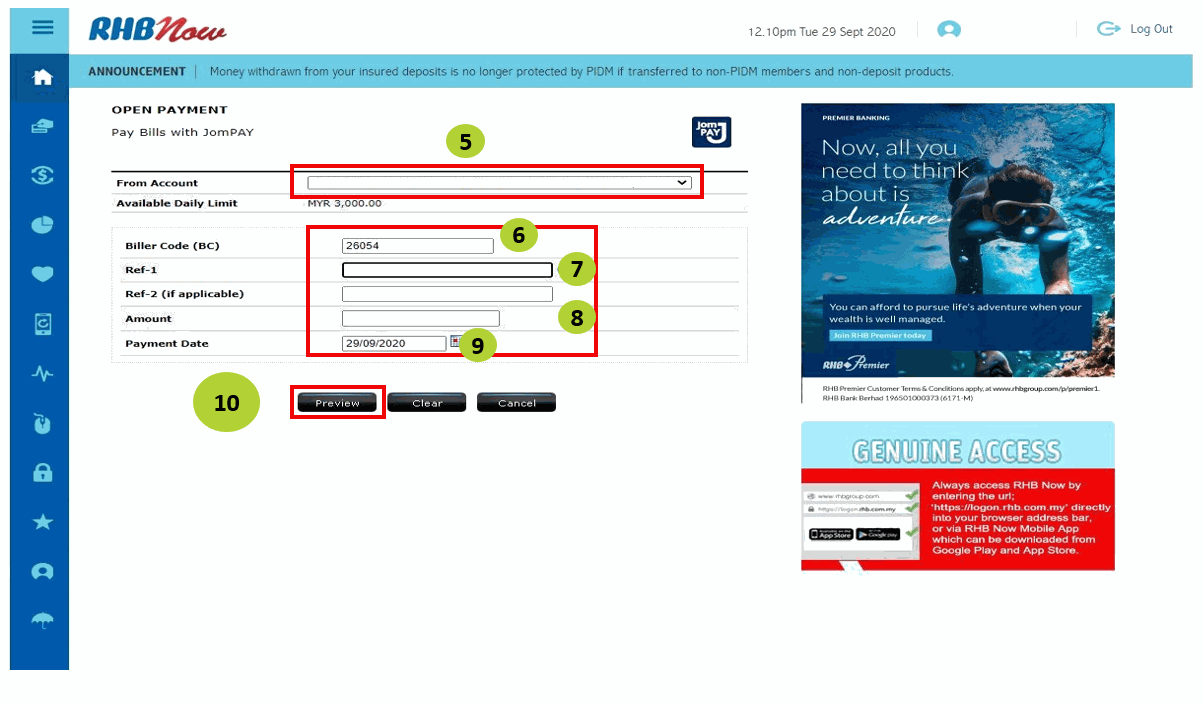
Step 3: "JomPAY"
Step 4: "Open Payment"

2

Step 5: Select account to pay
Step 6: Biller code: 26054
Step 7: Ref-1: Enter your account code
Step 8: Click "Enter bill amount"
Step 9: "Submit"
rhb image 1

Pay with TNG eWallet

1

Open TNG APP
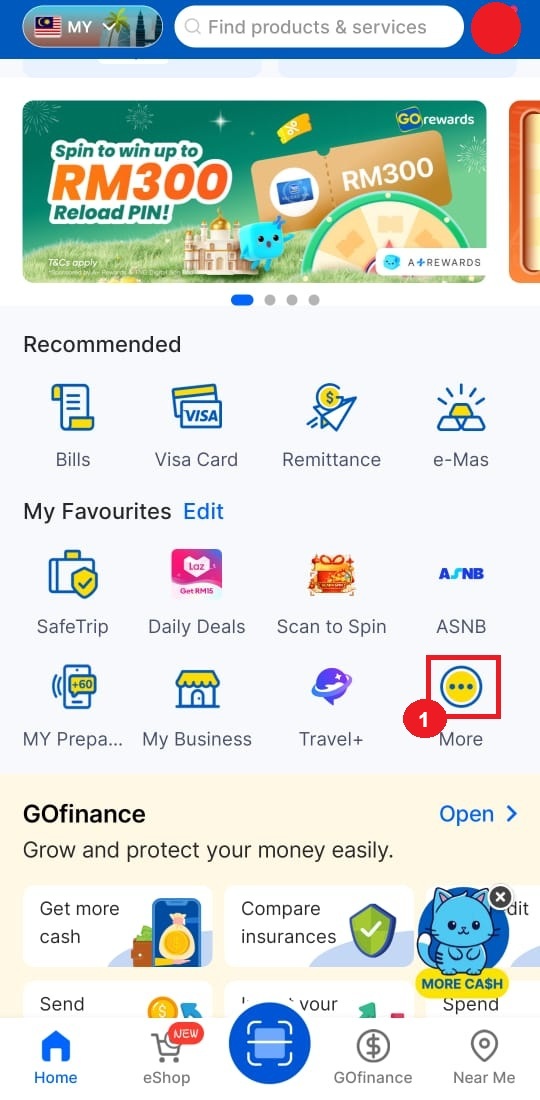
Step 1: Click "More" on homepage

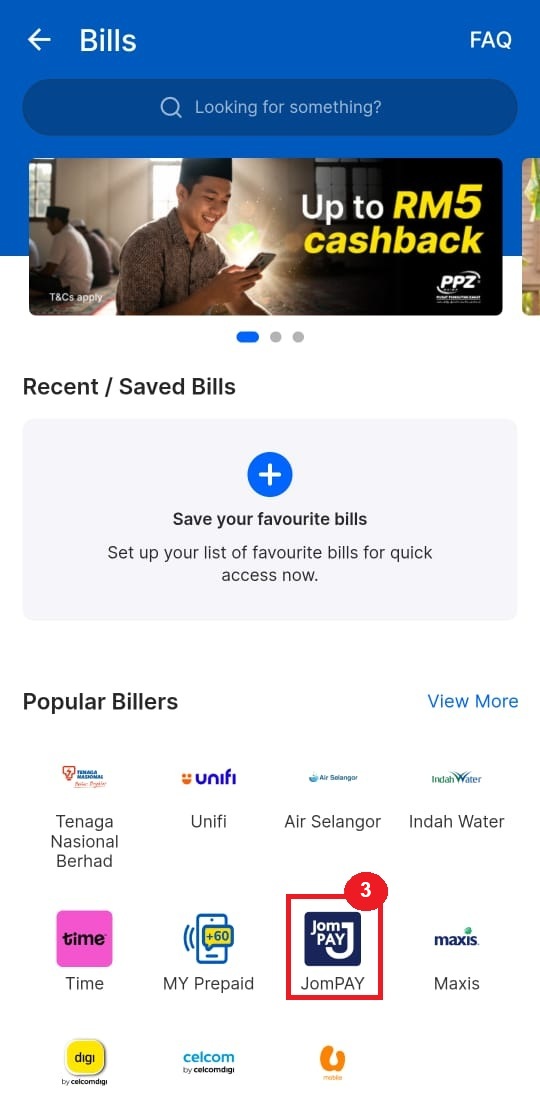
2

Step 2: Click "Bills"
Step 3: Find and click "JomPAY" icon
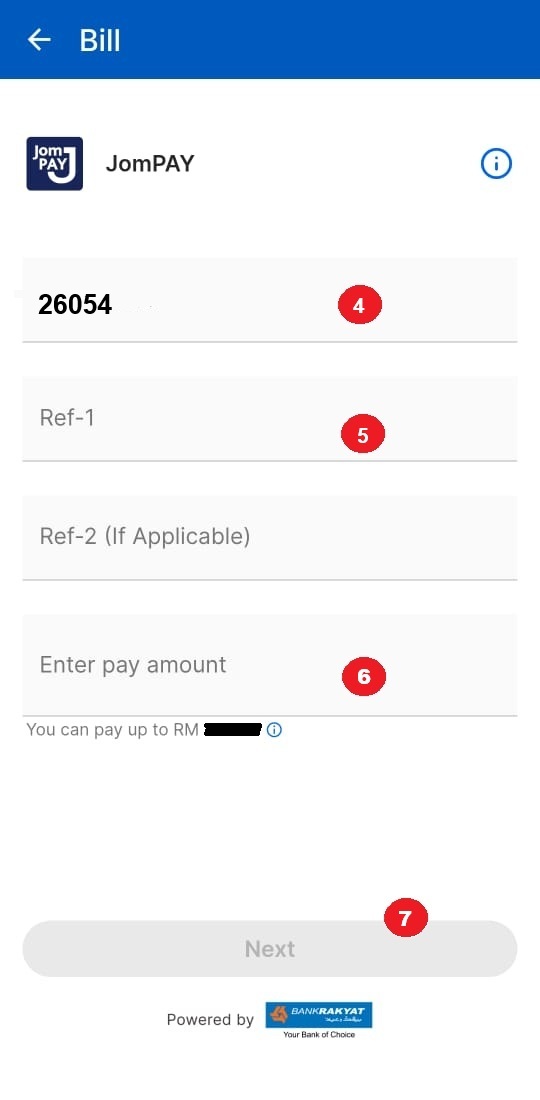
Step 4: Enter Biller Code: 26054

3

Step 5: Ref-1: Enter your account code
Step 6: Enter bill amount
Step 7: Click "Pay Now"
TNG step 1 TNG step 2 TNG step 3 TNG step 4